They say it's sent. You say it's landed.
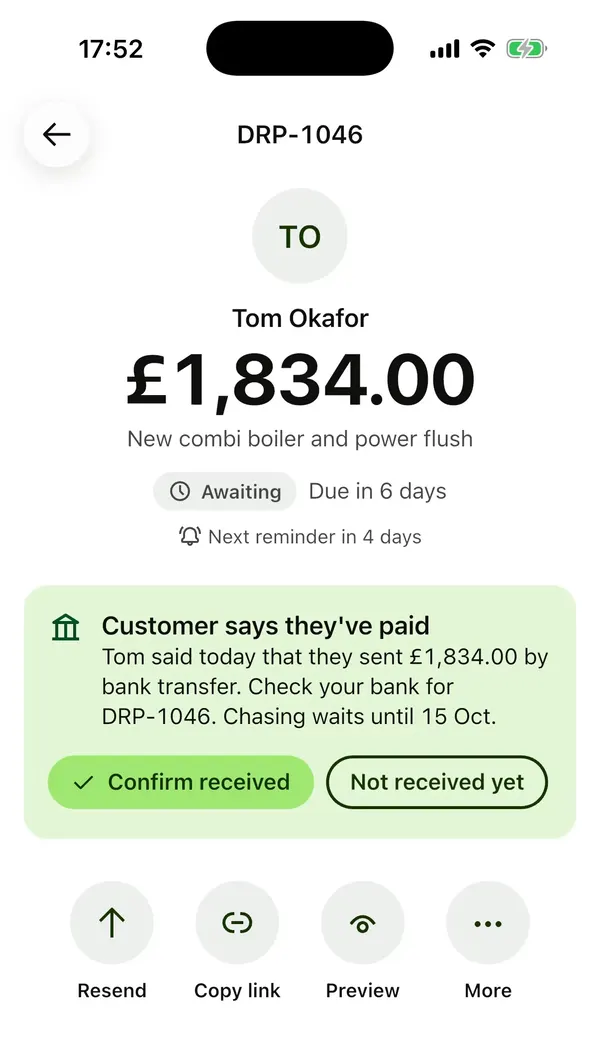
Your customer taps “I've sent it”. You check your bank and tap Confirm received. Chasing stops and the receipt goes, on its own.
Features
Quote on site, get the deposit, chase what's owed, keep the certificates and get your tax updates ready, without the evening admin.
Start freeQuote, send, get paid, and let the chasing take care of itself. One job, start to finish, from your phone.
Say the job out loud or tap your prices. You check every line before it goes.
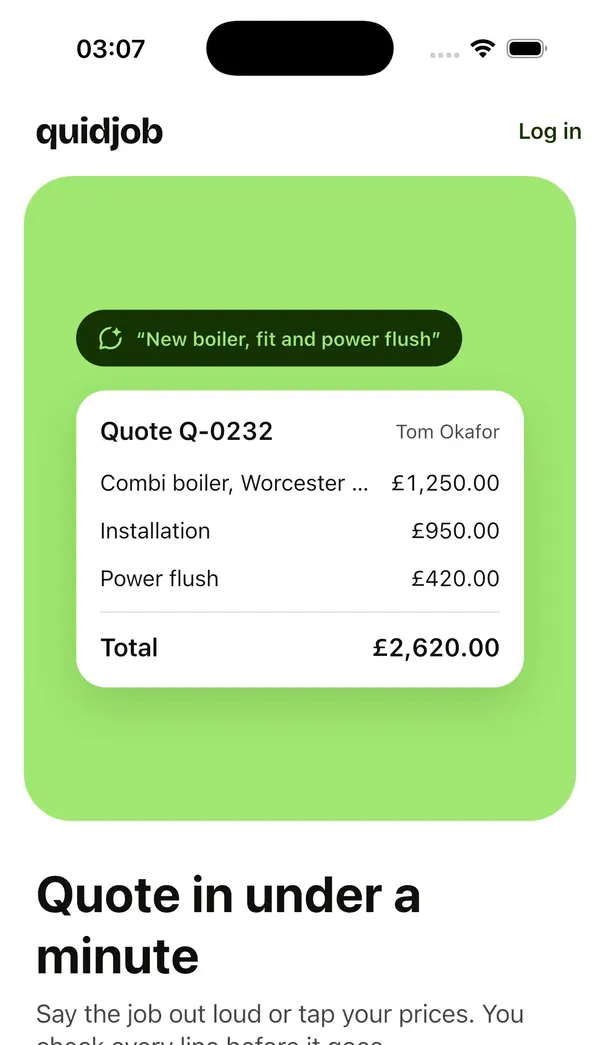
Or by email, or as a link. Your customer gets a link. No app, no login, no PDF to open.
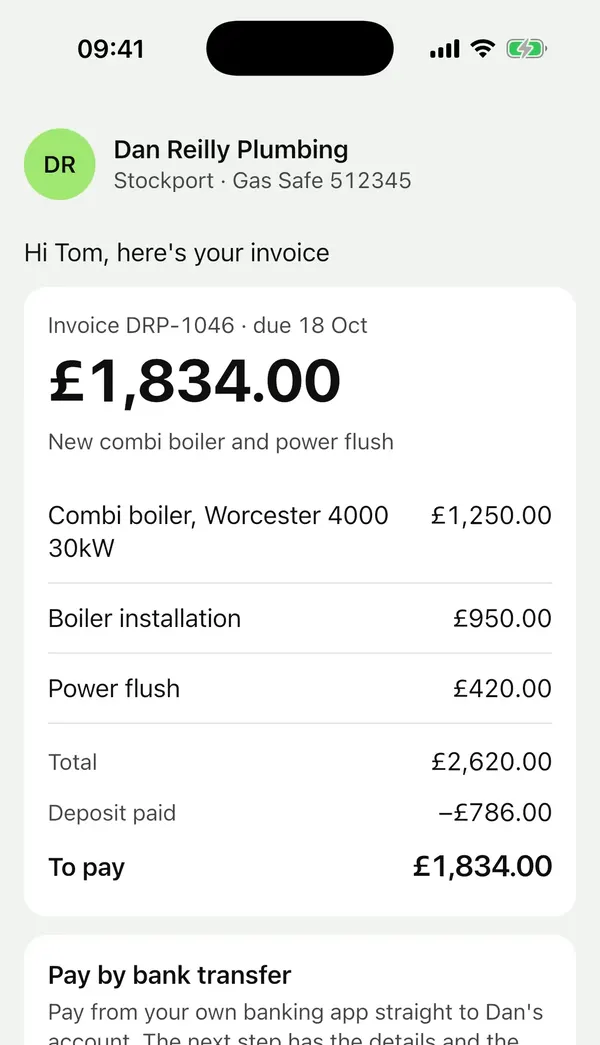
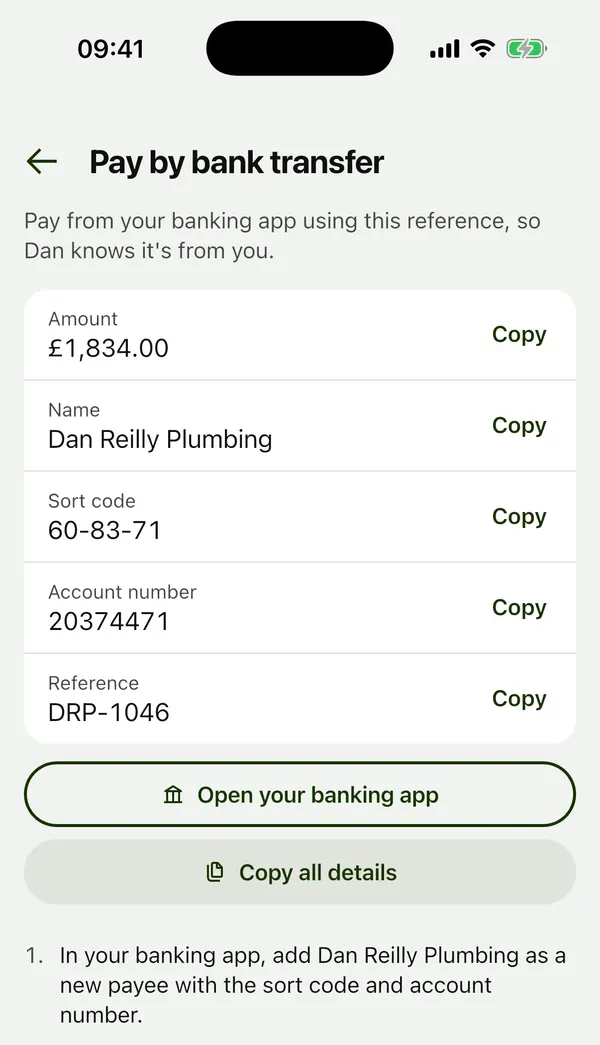
They accept and pay on one screen. Your bank details to copy, their banking app one tap away. Take a deposit when they say yes.
Polite reminders go out on time and stop the moment you are paid.
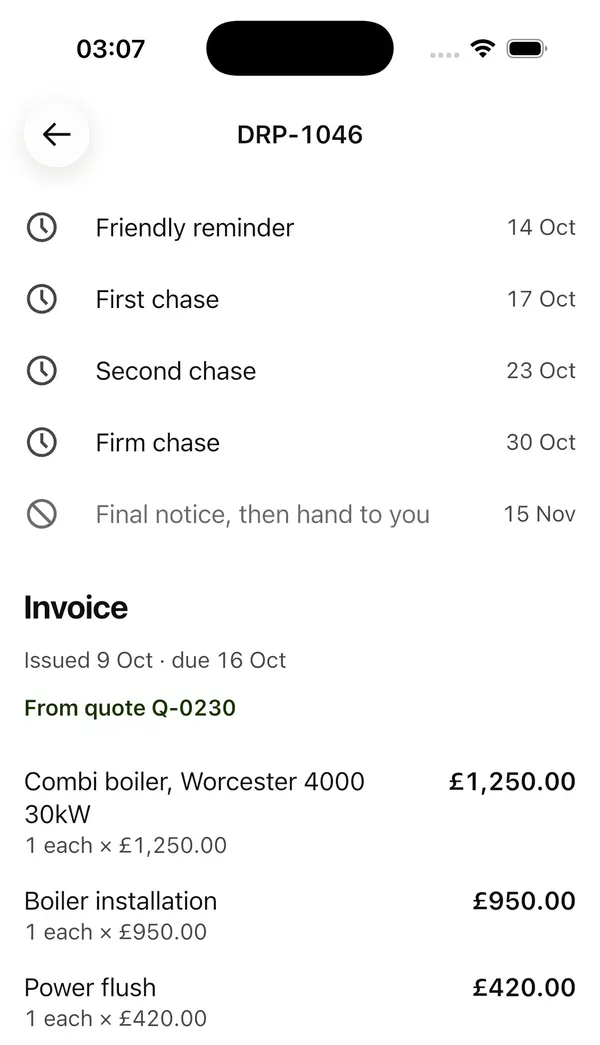
Everything after the quote, from the deposit to the receipt to the certificate, in one app.
Your customer taps “I've sent it”. You check your bank and tap Confirm received. Chasing stops and the receipt goes, on its own.
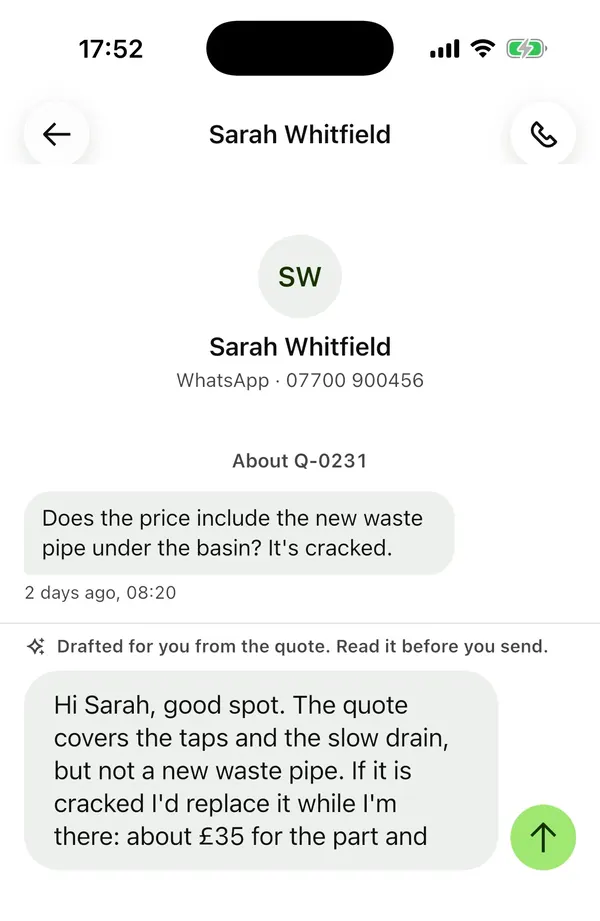
Customers' email replies land in one inbox, with an answer drafted from the quote. Read it before you send. WhatsApp and Facebook inboxes are coming soon.
Ask for a deposit on the quote. They accept and pay it in one go, and it comes off the invoice.
Branded emails with your bank details on them, so nobody has to ask for your sort code again.
Snap the receipt, or forward invoices from Screwfix, Plumb Center or any supplier to your own Quidjob address.
Landlord gas safety records, service records, warning notices, minor works certificates and EICRs, with a reminder when they're due again.
What's landed this month, what's overdue and how many days you wait to get paid, with costs sorted for your tax updates.
Once a job is paid, ask for a review with your own Google review link. Plainly, no discounts for stars.
A customer texts: What's your sort code again?
Quidjob sends the invoice in your colours with your bank details on it. Your customer pays from their own banking app, taps “I've sent it”, and you confirm it landed.
Quotes, invoices and bank transfers for UK trades. 14 days free, no card needed.
Start free